
-89%
-89%




Description
Description
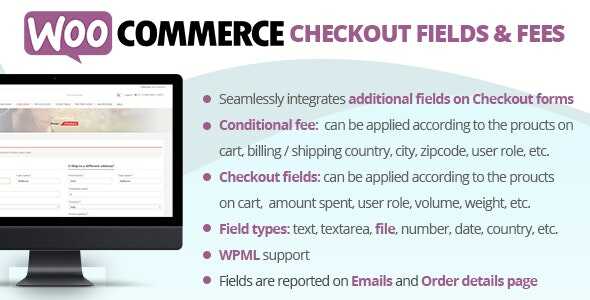
The WooCommerce Checkout Fields & Fees will allow you to easily apply fees (or discounts in case the fee value is negative) and to display additional fields in the checkout Billing and Shipping forms! Both fees and additional fields can be applied/displayed according to logic rules…and all done using a nice visual editor!

LIVE DEMO
http://www.codecanyon.eu/wcccf/wp-admin (Shop admin account) user: demo pass: demo (customer account) user: demo2 pass: demoHOW IT WORKS – WooCommerce Checkout Fields & Fees?
The plugin allows the shop admin to create fees (or discount if the fee value is negative) and additional checkout billing and shipping fields to which optionally he can associate some conditional rules. According to these conditional rules, the plugin will decide if the additional fields have to be shown in the checkout forms and if the fees have to be applied to the checkout cart. Each field/fee can have multiple conditional rules related between them with and/or conditions. A conditional rule can consider several product/category/cart/user aspects data like the amount spent, height, weight, taxes, user roles…More info at Conditional logic paragraph!FIELD TYPES
The plugin will allow the shop admin to create the following field types:- Text
- Text area
- File
- Number
- Telephone
- Password
- Select/Multiselect
- Date
- Time
- Country
- State
- Heading
FIELD CONDITIONAL LOGIC
Each field can be bounded by several and/or conditional logic rules that will make the field visible only if satisfied. A condition can behave the following typologies:- Product
- Category
- Cart
- User
FEE CONDITIONAL LOGIC
Fee can be dynamically applied according to the following customer and cart data:- User role
- Billing / Shipping country and state
- Billing / Shipping city
- Billing / Shipping zipcode
- Payment method
- Shipping method
- User role
- Specific customers
- Products / Categories / Tags on cart
- Total, subtotal, taxes, volume, weight, etc.
TEXT, TEXT AREA, NUMBER, TELEPHONE, EMAIL, AND PASSWORD
Not much to explain… the plugin allows you to easily add the “classic” HTML type like text, number, or Email fields!